Relio: Privacy-First Encrypted Clipboard Manager for macOS
A native macOS clipboard history manager that keeps everything you copy encrypted on-device, detects and auto-expires sensitive data like API keys and credit cards on its own, and surfaces it all through a Spotlight-style panel with fuzzy full-text search and developer transforms.
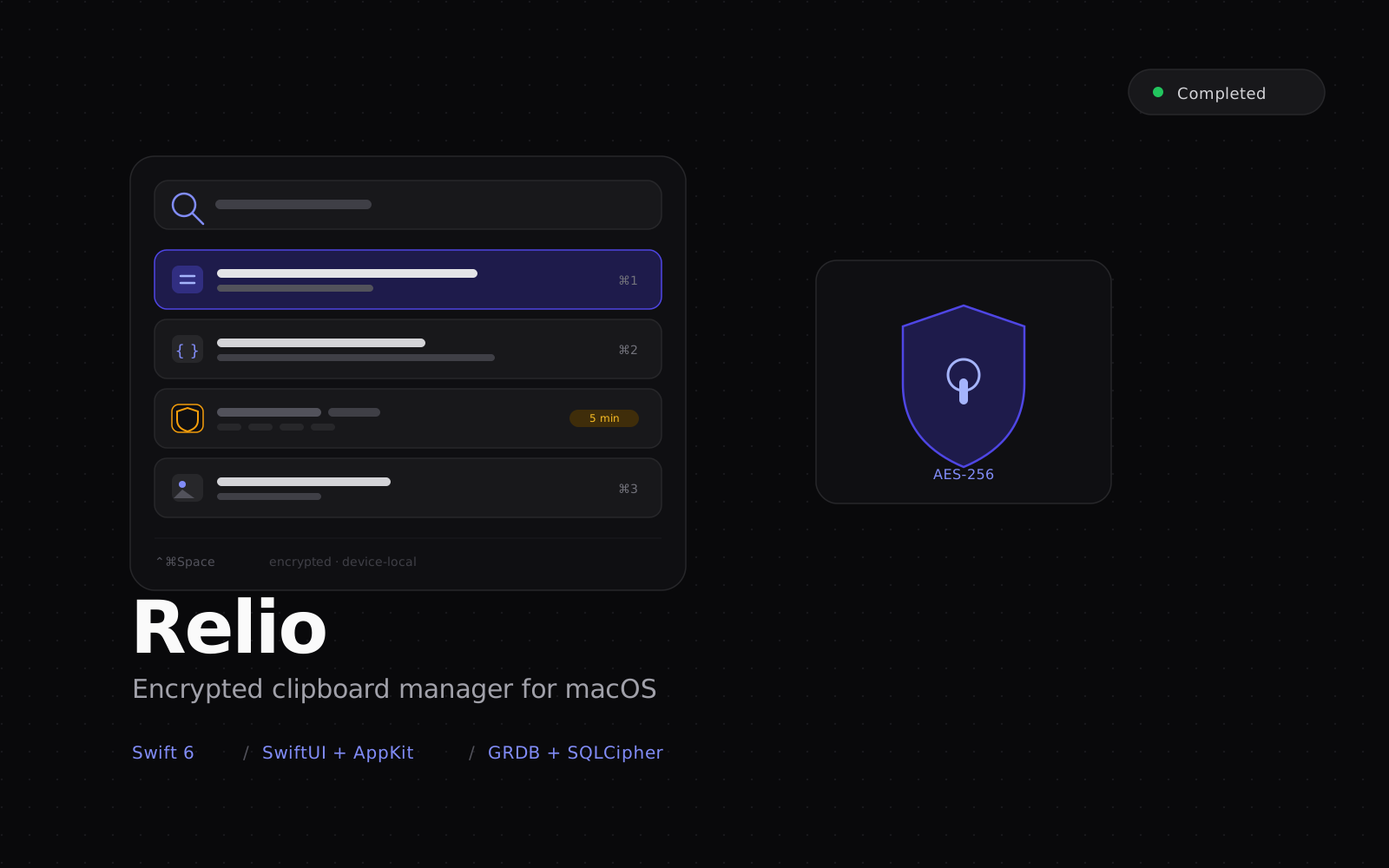
Relio is the clipboard manager built for people who copy things they would never want sitting in plaintext history: API keys, access tokens, private keys, JSON payloads, configuration blocks. It runs on macOS as a menu bar app, captures everything copied to the system pasteboard, encrypts each entry on-device, and brings the history back through a floating panel summoned with a global shortcut. Nothing leaves the machine. The tagline says it plainly: the clipboard you can rely on.
The audience is concrete: developers and power users who live in the clipboard all day, and privacy-conscious professionals who are uneasy that most clipboard managers store history in plaintext or behind weak encryption. Relio answers that with encryption as a first-class concern rather than a checkbox, and with a detection layer that treats secrets differently from ordinary text.
Capture and retrieval:
- Text, rich text, HTML, images, files, URLs, and colors are captured, deduplicated, and stored with per-field encryption
- A Spotlight-style floating panel opens on a global hotkey, cursor-aware, without stealing focus from the app in front so the paste target stays correct
- Fuzzy full-text search backed by SQLite FTS5 stays fast as the history grows into the thousands of items
- Filters by content type, source application, and date, plus pinned quick-paste slots bound to number shortcuts
- Paste as original or as plain text, with a set of developer transforms applied inline: JSON pretty-print and minify, Base64 and URL encode and decode, case conversion, hashing, and regex replace
Guardian Mode (the part that sets it apart):
- An on-device classifier inspects every copied snapshot and scores how sensitive it is, combining a registry of credential patterns (credit cards with Luhn validation, IBANs with MOD-97, JWTs, RSA and OpenSSH and PGP private keys, cloud provider keys, seed phrases) with validator callbacks and a Shannon-entropy fallback for opaque high-entropy strings
- Three verdicts drive behavior: ordinary text keeps the normal retention window, sensitive matches are redacted in the UI and given a short time-to-live, and the highest-confidence credentials are never written to disk at all
- A bundle denylist automatically ignores password managers and browser auto-fill, and a per-match whitelist lets users dismiss false positives
Security model:
- AES-256-GCM field-level encryption through CryptoKit layered over an encrypted SQLite database via GRDB with SQLCipher, so both the cells and the file are protected
- The master key lives in the macOS Keychain behind a biometric gate, with context-specific subkeys derived through HKDF-SHA256 so a compromise in one context cannot decrypt another
- Biometric unlock with idle auto-lock, failed-attempt backoff that escalates lockout duration, and a panic shortcut that atomically wipes history, rotates the master key, and clears the system pasteboard
- No clipboard content is transmitted off the device; telemetry is limited to Apple-native crash reporting
Engineering:
- Swift 6 with strict concurrency throughout, organized as a modular Swift Package Manager monorepo of focused libraries, each with its own test suite and clean protocol seams so no framework leaks into the domain logic
- A SwiftUI and AppKit hybrid: SwiftUI renders the panel and settings content, AppKit owns the menu bar item, the non-activating floating panel, and activation-policy control that SwiftUI cannot express on macOS
- An actor-based clipboard monitor with adaptive polling that backs off on idle and power-saving states, and an actor-based paste pipeline that synthesizes the paste keystroke through the Accessibility API while filtering its own echo
- Reactive UI through the Observation framework over an async stream of database changes, with view models that activate and deactivate with the panel to keep memory flat while hidden
- Versioned forward and rollback SQL migrations with a roundtrip test gated in CI, plus SwiftLint custom rules that forbid raw strings for secrets and ban logging of clipboard content
- Generated with XcodeGen, built and tested through GitHub Actions, and distributed as a Developer ID signed and notarized build with Sparkle auto-updates over an EdDSA-signed appcast
The result is a clipboard manager that behaves like a security tool: encrypted at rest, sensitive by default, device-local by design, and engineered with the discipline of a production codebase rather than a utility hacked together over a weekend.