HeyPilot Demo Call: WordPress Plugin That Triggers a Live Voice AI Demo from a Web Form
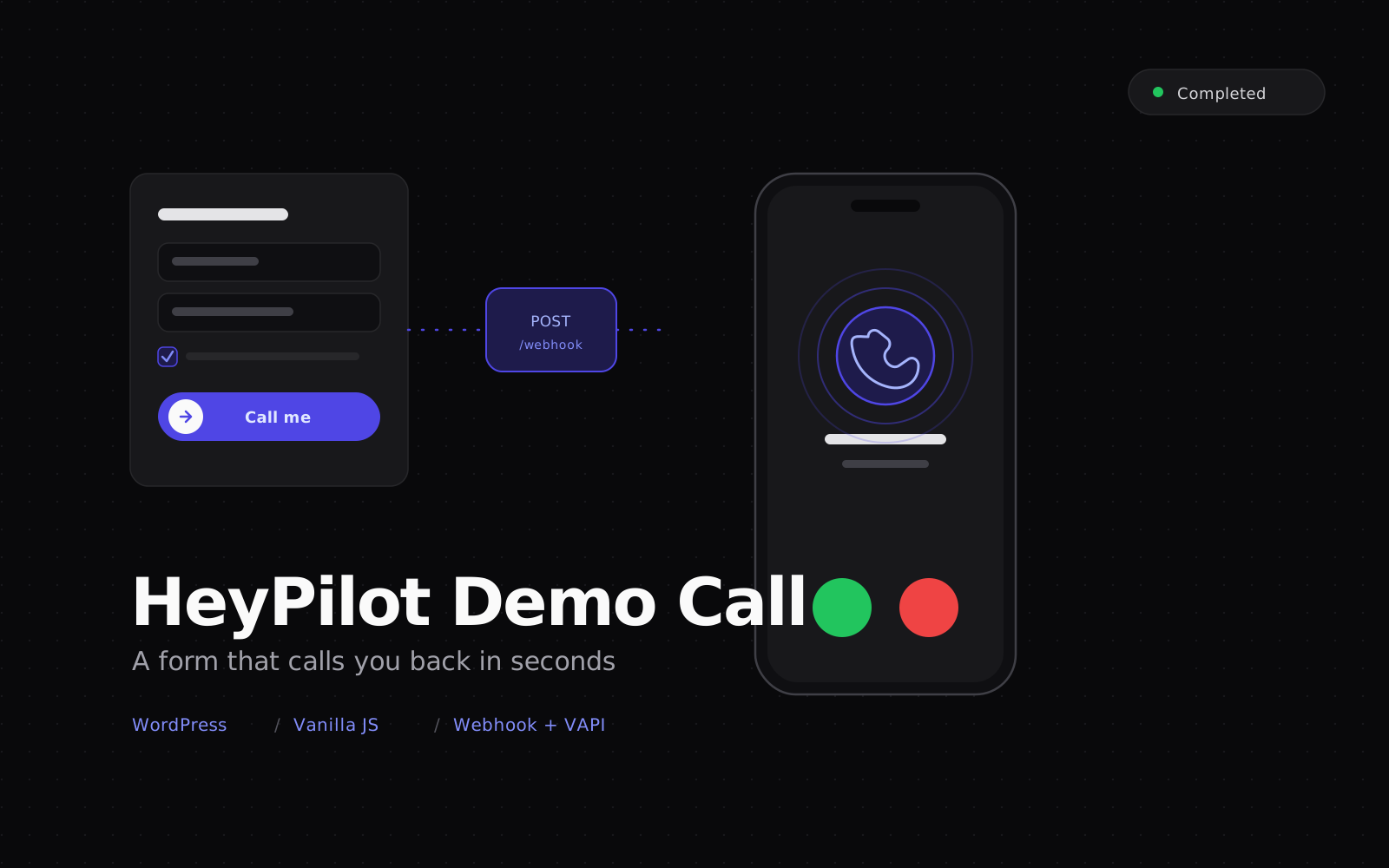
A WordPress plugin that turns a landing page form into a live voice AI demo. The visitor picks a scenario and enters a phone number, the plugin fires a webhook to the HeyPilot backend, and within seconds VAPI dials them back to run a real conversation with the AI assistant configured for that scenario.
HeyPilot Demo Call is the WordPress plugin that powers the live voice AI demo on heypilot.com.tr. Most marketing sites describe what a voice agent can do. This one lets the visitor talk to one. They pick a scenario, type their phone number, slide to confirm, and a few seconds later their phone rings with the HeyPilot AI assistant configured for that scenario.
The webhook-driven instant call flow: The whole product hinges on a single, tight chain of events the plugin orchestrates end to end.
- The visitor fills the form on the landing page. The plugin renders an iOS-style phone mockup with two steps: name and phone on step one, scenario cards on step two. The visitor also has to tick the KVKK consent checkbox before the call button becomes active.
- The plugin validates and normalizes the phone number client-side. Turkish mobile inputs in any common shape are normalized to a canonical international format and matched against a strict regex. Invalid entries trigger a shake animation and an inline error.
- On submit, the plugin POSTs a JSON payload to the HeyPilot demo-call webhook. The payload carries the scenario key, normalized phone, name, KVKK consent fields (acknowledgment version, text, document URL, and the timestamp of the consent click), browser user agent, optional VAPI assistant identifiers set per scenario in the admin, and any UTM and campaign parameters captured from the URL.
- The HeyPilot backend validates the request, applies rate limits, and hands the call off to VAPI. Per-scenario assistant and phone-number identifiers pick the right assistant configuration and outbound caller ID. The system prompt for the chosen vertical is loaded server-side, so prompt logic stays out of the plugin and out of the browser.
- VAPI dials the visitor's phone within seconds. The phone rings, the visitor answers, and the AI assistant opens with a scenario-appropriate greeting. The conversation is bidirectional, recorded server-side, and logged against the HeyPilot tenant for later review.
- The plugin shows a success message and starts a cooldown. The success state confirms that the call is on its way, and the same number is blocked from triggering another call for several minutes on the client, on top of server-side per-phone and per-IP limits.
Multi-scenario assistant selection:
- A configurable set of demo verticals, each with its own icon, title, and description that the visitor sees as a card on step two
- Each scenario can be wired to its own VAPI assistant and outbound number from the WordPress admin, so different verticals use different assistants without code changes
- Scenarios can be toggled active or inactive without deleting their configuration, useful for seasonal campaigns or A/B tests
WordPress admin surface:
- A single options page exposes the API URL, screen titles, call-to-action text, and the scenario rows
- All inputs flow through a sanitization callback that uses the standard WordPress escape and sanitize helpers for URLs, visible strings, and slugs, plus a strict UUID regex for VAPI identifiers
- The settings page is locked behind an administrator capability check, so only administrators can change the webhook target or scenario mapping
- CSS and JS are enqueued only on pages that actually contain the plugin's shortcode, keeping the rest of the site untouched
Front-end UX:
- An iPhone-style frame with notch, dynamic island, and side buttons rendered in pure CSS
- Step one ends with a slide-to-right gesture that mimics an incoming call accept, with a pulsing thumb, vibration feedback on supported devices, and a keyboard fallback for accessibility
- Cubic-bezier step transitions, staggered card entry, a shake animation on validation errors, and a success state with checkmark and call status text
- A nuclear CSS reset on the plugin container keeps the widget visually stable across third-party WordPress themes
- Semantic HTML, ARIA roles and live regions on interactive elements, keyboard activation on the slider, and decorative SVG marked as hidden from assistive tech
Compliance and security:
- An inline KVKK acknowledgment checkbox tied to a versioned acknowledgment text and document URL, with the moment of consent captured and shipped to the backend with every call request, plus a defense-in-depth re-check on submit
- Layered rate limiting: a client-side cooldown after a successful call, plus per-phone and per-IP limits enforced by the backend
- Every admin-side string is sanitized on save and escaped on render, and VAPI identifiers are validated against a UUID regex before they reach a payload
- The webhook is a public endpoint with no client-side secret, which keeps the plugin shippable but pushes all trust boundaries to server-side validation, rate limits, and CORS rules
Stack:
- A modern WordPress and PHP baseline, with the Settings API, shortcodes, and the standard script-localization helpers as the only WordPress primitives in play
- Vanilla JavaScript and vanilla CSS, no jQuery, no build step, no bundler
- The configuration bridge injects the API URL, scenario labels, scenario VAPI mapping, and KVKK acknowledgment metadata into a single global that the front-end script reads on boot
- Every release archived as a ZIP for instant rollback on the production site
- A small enough PHP surface that the plugin is trivial to audit, vendor, and ship to a managed WordPress host
The plugin closes the gap between "watch a demo video" and "actually talk to the AI". A visitor goes from landing page to a live, scenario-specific voice conversation with HeyPilot in under ten seconds, with KVKK consent captured, rate limits respected, and no infrastructure to maintain on the WordPress side beyond the plugin itself.